What is the Suggestions tab?
Regular payments Bunse has spotted that aren't in your budget yet, each with a one-tap way to add, match or hide it.
Updated 1 October 2026
Budget › Suggestions lists payments that went out on a regular schedule but aren't in your budget yet: a direct debit, a subscription, a standing order. A dot on the tab means there's something new.
Bunse needs about three months of statements to spot a monthly payment. A subscription or bill it recognises by name, like Netflix or British Gas, only needs two payments.
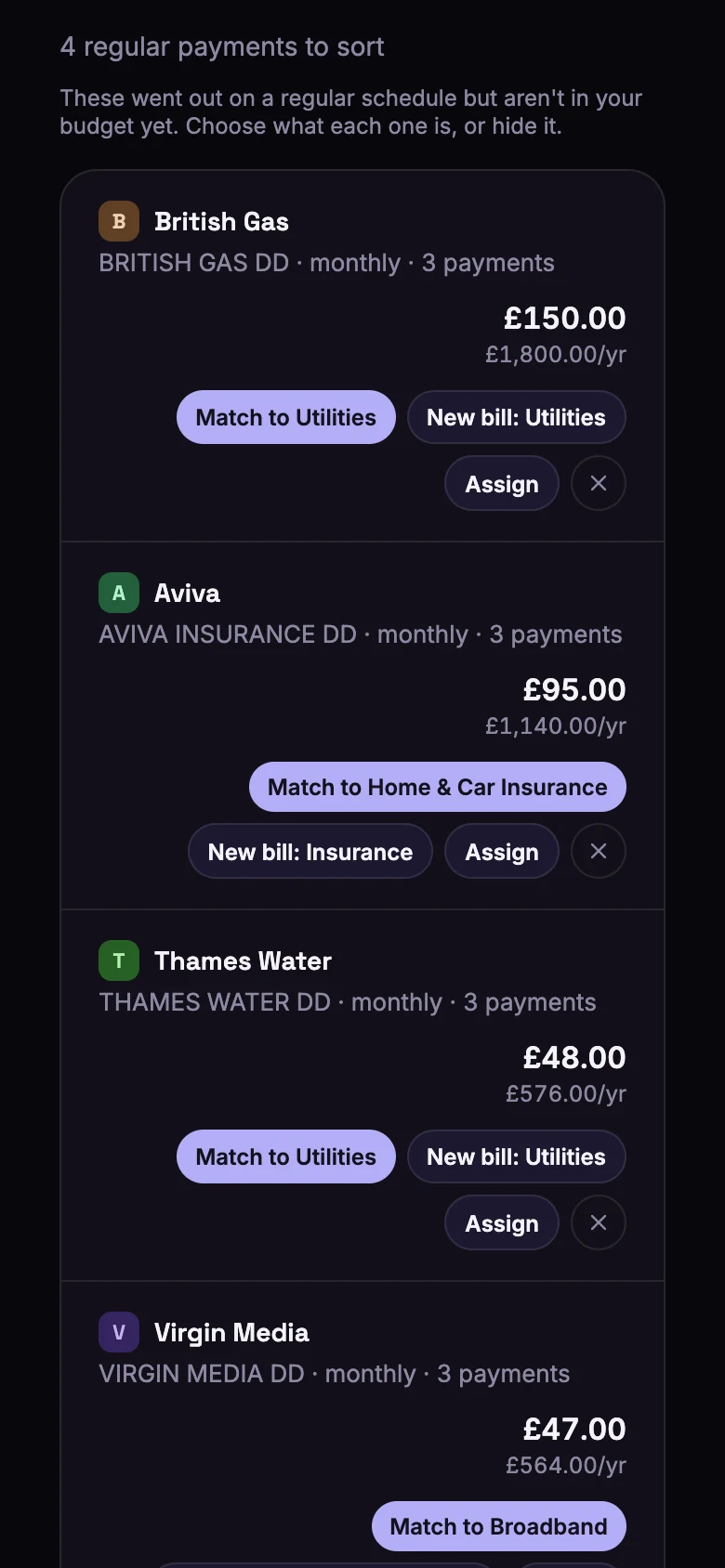
Choose what each one is
Each suggestion shows the payment, how often it goes out and what it costs a year, with buttons for what Bunse thinks it is:
- Match to … links it to a budget line you already have with a similar name.
- New bill adds a line for a bill Bunse recognises, such as energy, water or phone.
- New subscription adds it as a subscription with its own line, so a price rise is easy to spot.
- Credit card payment records a repayment to a card Bunse recognises.
- Buy now, pay later tags repayments to a BNPL provider.
- Assign lets you choose anything else: another budget line, discretionary spending, cash, or a transfer between your own accounts.
- × hides a suggestion that isn't really a regular payment.
For a regular payment to a person, such as a standing order, Bunse asks What's it for?: Rent or board, Child maintenance, Savings, Loan repayment, Something else, or Don't track this.
When Bunse recognises two or more subscriptions or bills that aren't in your budget yet, a box at the top offers to add them all in one tap.
Same shop, different names?
Further down, Bunse lists shops that appear under more than one name on your statements, such as a card payment with a different reference each time. Exact names and Similar names show two kinds of match. Check each list and tap Not the same on anything that doesn't belong, then merge the rest so one choice covers them all. See what merchant merges are.