Track your subscriptions
See every subscription in one place, with its next renewal, price rises and free trials.
Updated 1 October 2026
Budget › Subscriptions lists every subscription you track, with the total at the top: what they cost a month and a year.
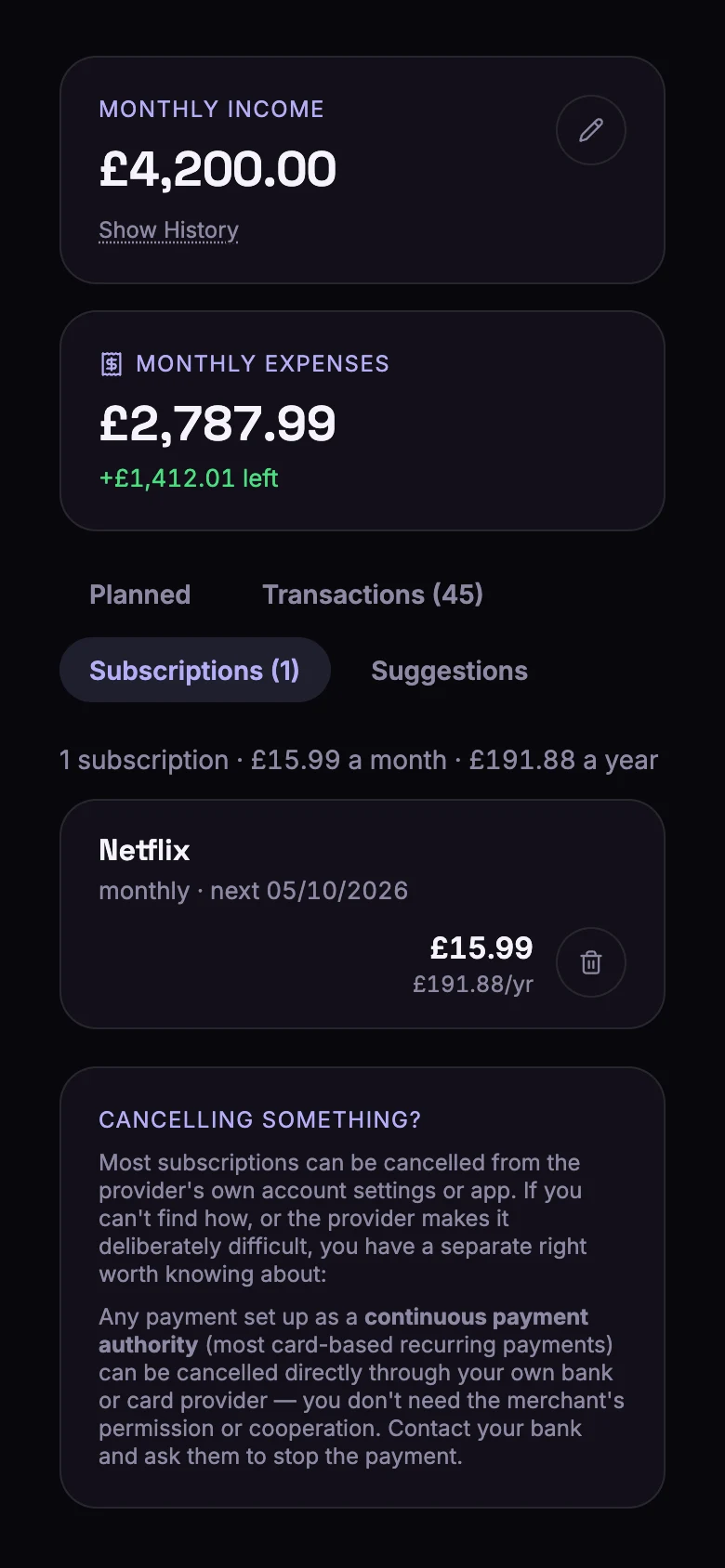
For each subscription, Bunse shows:
- How often it's paid and when it renews next, worked out from your imported payments.
- What it costs a year.
- Price went up, with the date, when a payment came in higher than before.
- When a free trial ends, if you've added the date.
Add a subscription
Bunse finds most subscriptions for you when you import a statement: they appear on the Suggestions tab, where New subscription adds one. To add one yourself:
- On the Budget tab's Planned view, tap Add expense.
- Choose the type Subscriptions and search for the service.
- Enter the monthly amount. For a free trial, add the date it ends.
Give each service its own line. A single line covering several services can't show renewals or price rises, so Bunse offers to Split it up.
Stop tracking one
Cancelled something? Tap the bin next to it, then confirm. The line is removed from your budget, and its payments go back to your unmatched list.
Reminders
On your phone, Bunse can remind you:
- 7, 3 and 1 days before a free trial ends, so you can cancel before you're charged.
- 14 and 3 days before an annual or quarterly subscription renews.
- When a price rise shows up in an import.
Most subscriptions can be cancelled in the provider's app or account settings. If a card payment keeps going out after you've cancelled, your bank can stop it for you: most card-based regular payments are a continuous payment authority, which you can cancel with your bank directly.