How does Bunse handle cash, transfers and card payments?
Cash withdrawals, transfers, credit card repayments and savings top-ups aren't spending, so Bunse keeps them out of your budget.
Updated 1 October 2026
Some money leaving your account isn't spending, so counting it in your budget would make your spending look bigger than it is:
- Cash withdrawals. Bunse can't see what the cash is spent on.
- Transfers, between your own accounts or a one-off payment to someone.
- Credit card repayments. The spending was already on the card; the repayment just clears it.
- Savings top-ups. The money is still yours, in another account.
Bunse spots these when you import a statement and tags them in the preview, for example CASH or → Emergency fund. They're kept out of your spending totals, and each month's list on Budget › Transactions shows how much went on cash and transfers.
Credit card repayments and savings top-ups
If the card is in Loans/Credit, or the account is in Savings, Bunse recognises payments to it by its provider. After an import they're listed on Budget › Transactions under Credit card payments or Savings top-ups.
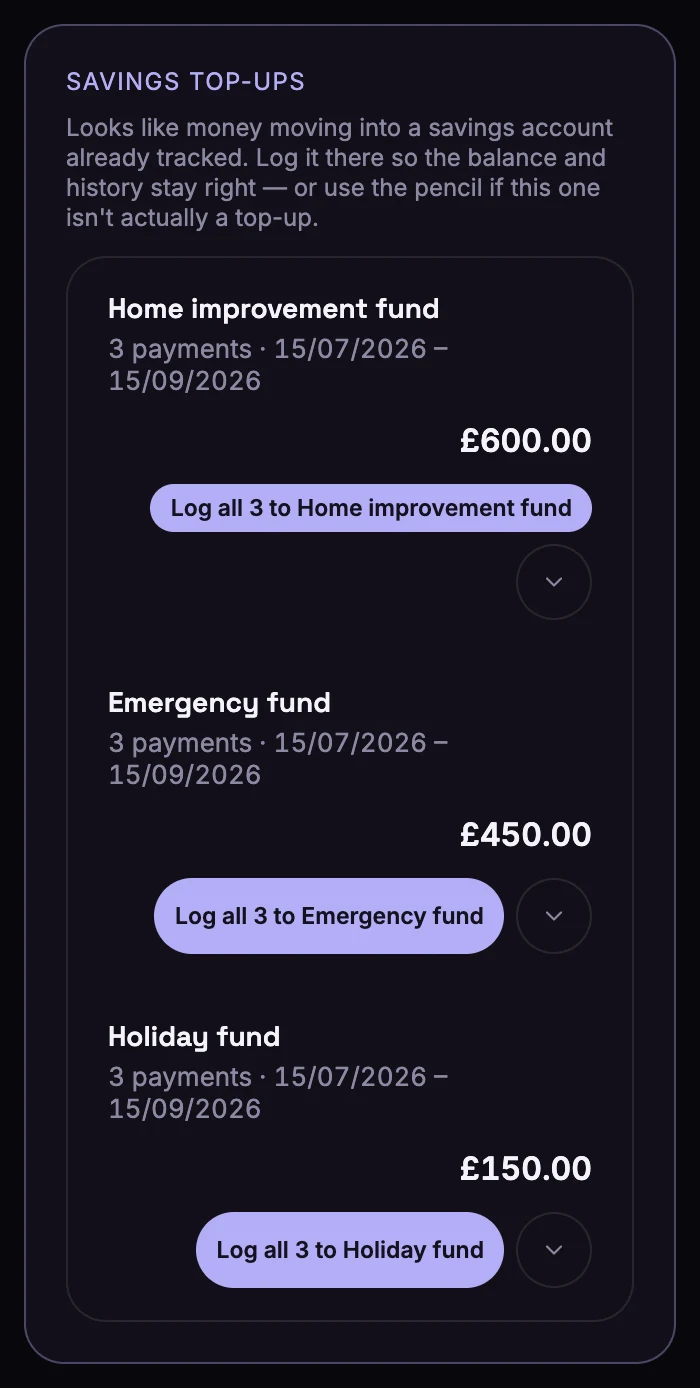
Tap Log all … to to record them against the card or account, which keeps its balance and history right. If one isn't really a card repayment or top-up, use the pencil next to it to put it somewhere else.
Marking a payment yourself
If Bunse didn't spot one, find the payment in the month's list on Budget › Transactions:
- Tap the banknote icon to mark it as cash.
- Tap the arrows icon to mark it as a one-off transfer.
Or choose Cash or One-off transfer under Not budget spending when you assign it. Tapped the wrong one? Tap the × next to it to undo.
Want to budget for cash? Add a budget line for it, such as Cash, and assign your withdrawals to it. They then count as spending like any other line. Insights also shows cash withdrawn alongside your spending.