What is Ask Bunse?
Pick a question about your own money, such as what you spent at Tesco last month or when your 0% deal ends, and get the answer straight away.
Updated 3 October 2026
Ask Bunse answers questions about your own money, worked out from what you've entered and imported. Tap the question bubble at the top of the screen to open it.
Ask a question
Type what you want to know in the box at the bottom, such as "tesco last month" or "car loan", and tap the question that matches. Bunse recognises your own names for things, like a merchant, a budget line, a savings goal or a loan, and fills them in. Press Enter to ask the first match.
Or browse instead:
- Pick a topic at the bottom, such as Spending or Debt and mortgage.
- Tap a question, and change anything underlined, such as the category, the merchant or the period.
- Tap Ask.
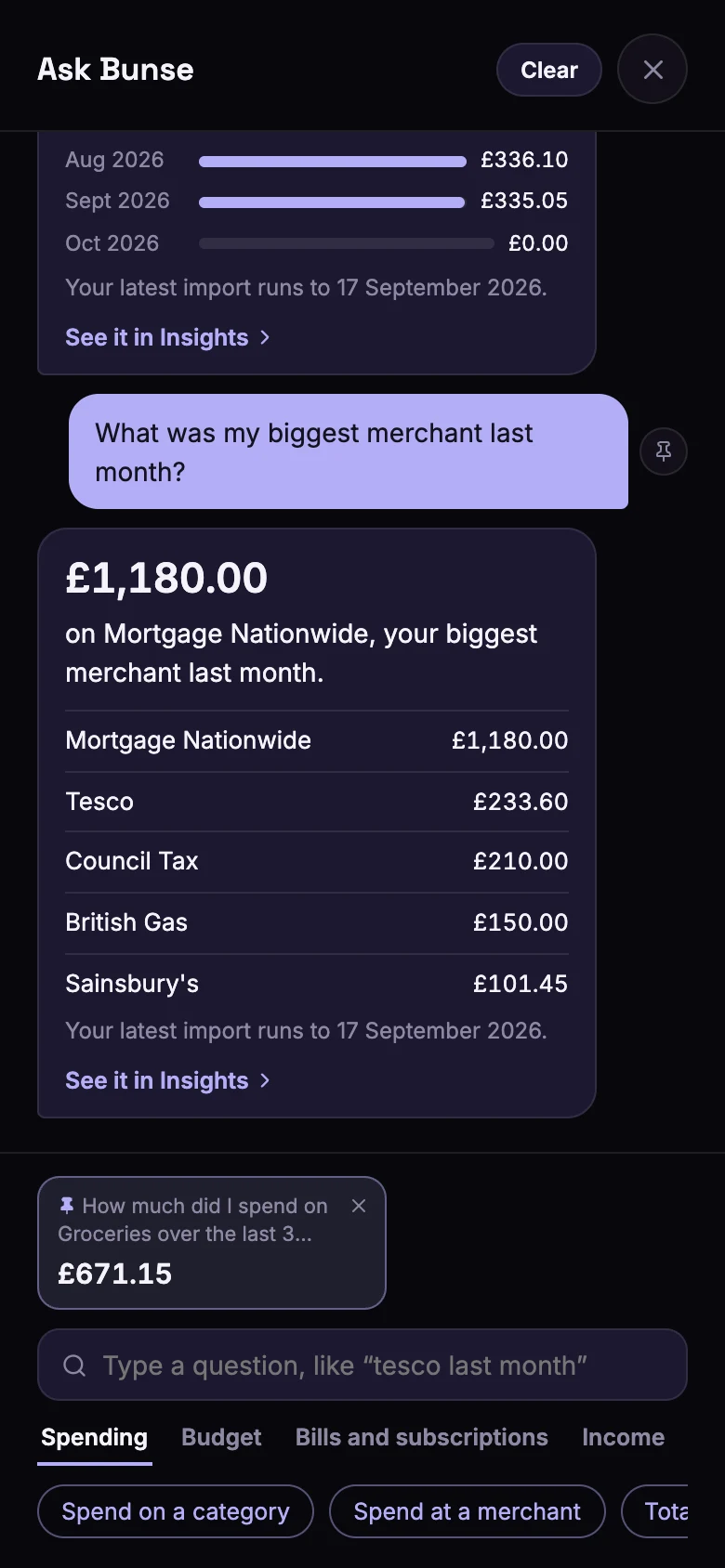
Each answer leads with the figure, followed by a list or a bar for each month where it helps, and a link to the screen it comes from. On a phone the link closes Ask Bunse and opens that screen.
Questions with nothing to change, such as Left this month, are answered as soon as you tap them. Clear empties the conversation.
What you can ask
| Topic | For example |
|---|---|
| Spending | What you spent on a category or at a merchant, your biggest ones, cash withdrawn, discretionary and buy now, pay later |
| Budget | Whether you're on track this month, which lines went over, what's left, your planned surplus |
| Bills and subscriptions | What your subscriptions cost a year, which bills have gone up, what renews soon, when free trials end |
| Income | What you earned over a period |
| Savings | Your total, how close you are to a goal, how long your emergency fund would last, your deposit |
| Investments and pensions | How your investments are doing, your best holding, prices that need updating, this tax year's pension contributions |
| Debt and mortgage | What you owe, when 0% deals end, when a loan is paid off, what's left on your mortgage, what overpaying would save |
| Overall | What's holding your flame back, how your net worth has changed |
Bunse only shows the questions your data can answer. Add investments, for example, and investment questions appear.
Which months it uses
Questions start with the latest month you've imported, so you get a real answer straight away. You can change the period to this month so far, last month, the last 3, 6 or 12 months, or everything.
If an answer covers days after your latest import, Bunse says where your data ends, so a low figure isn't mistaken for a quiet month. Import a recent statement to bring it up to date.
Left this month or planned surplus?
- Left this month is your monthly income less what you've actually spent so far this month: your spending, discretionary spending and cash withdrawals. Transfers and savings top-ups don't count.
- Planned surplus is your income less your planned budget lines, the same figure as Budget Health.
Pin the questions you ask often
Tap the pin next to a question you've asked. It joins the row of pinned cards at the bottom, each showing its latest answer, so they work like a small dashboard. Tap a card for the full answer, or its × to remove it.
On a tablet or larger screen
Ask Bunse opens on the right, beside the app, so you can keep using the app while you ask. Tap the question bubble again, the ×, or press Esc to close it.
Ask Bunse isn't AI. It picks from a fixed set of questions and works out each answer on your device. See does Ask Bunse send my data anywhere?