Add a savings account and set a goal
Track each savings account's balance, interest and goal, and tell Bunse which one is your emergency fund.
Updated 1 October 2026
The Savings tab tracks each of your savings accounts: its balance, what it earns, and how close it is to a goal.
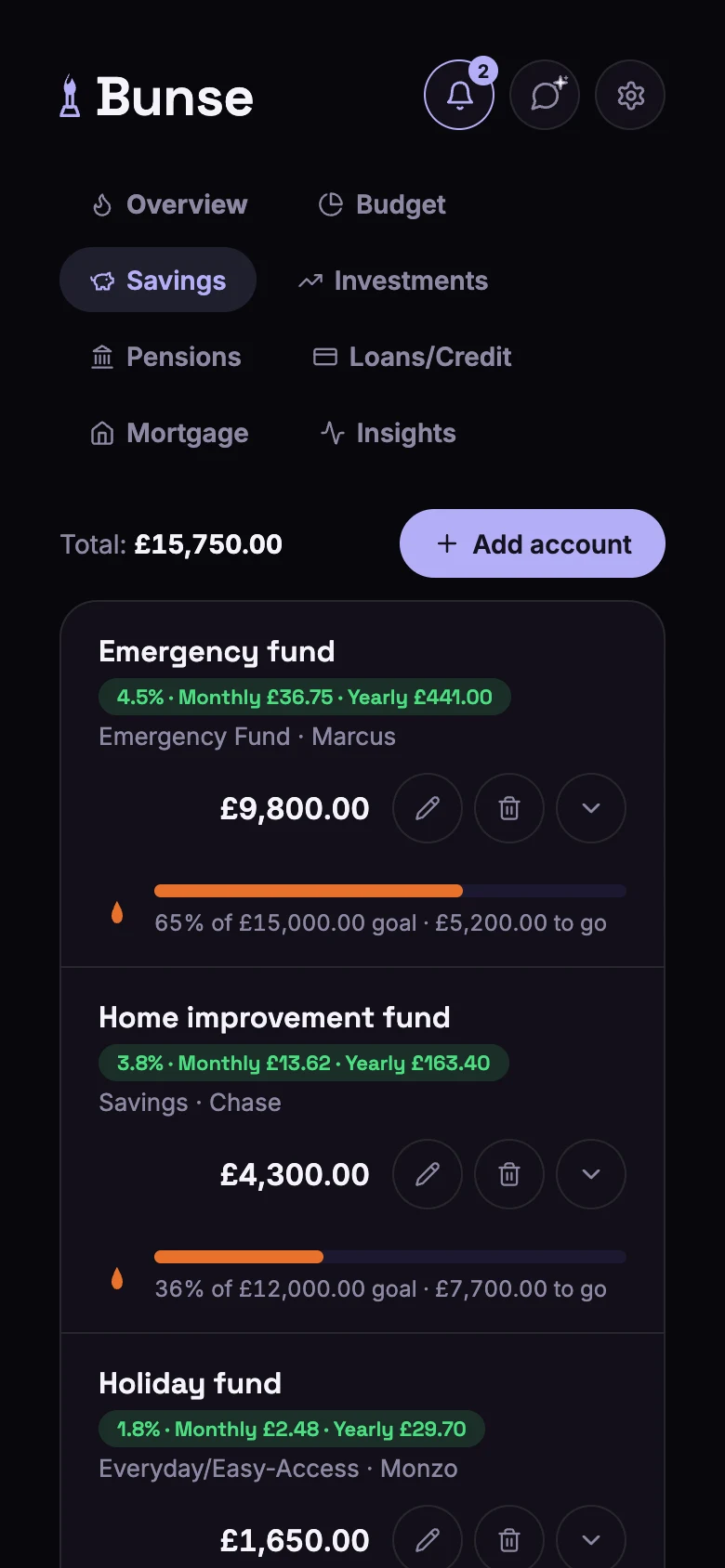
Add an account
Tap Add account and fill in:
- Account name, such as "Rainy day fund".
- Type: Everyday/Easy-Access, Savings, Emergency Fund, Cash ISA, Lifetime ISA (LISA), Fixed-Term/CD or Other.
- Institution (optional), such as Monzo or Marcus. Filling this in lets Bunse spot top-ups in your bank statements.
- Balance.
- Interest rate (optional). Bunse shows what it earns a month and a year.
- Goal (optional). A progress bar shows how far you've got and what's left to go, and its flame warms up as you pass a third of the goal and then 80%.
- Matures on (optional), for a fixed-term account. Bunse reminds you before it matures, so you can decide whether to renew, move or withdraw the money.
Your emergency fund
Choose the type Emergency Fund for the savings you'd use in an emergency. The flame on your Overview measures how many months of costs it would cover. If no account is tagged, Bunse counts your easy-access savings instead (Everyday/Easy-Access, Savings and Cash ISA accounts).
Keep the balance up to date
Open an account's transactions with the arrow next to it, then:
- Log a deposit, withdrawal or interest by hand, with its amount and date. The balance updates to match.
- Import a statement from your savings provider as a CSV, QIF or OFX file.
Payments from your current account into savings are picked up when you import your bank statement. Log them from Budget › Transactions › Savings top-ups.
Reminders
On your phone, Bunse can remind you 30 and 7 days before a fixed-term account matures, and, if you have an ISA, in late March, before your ISA allowance resets on 5 April.