Set up Bunse by hand
Enter your income, regular costs, subscriptions and savings yourself, in four short steps.
Updated 30 September 2026
If you'd rather not import a statement yet, you can set up your budget yourself. It takes four short steps, rough figures are fine, and you can change anything later on the Budget tab.
On the welcome screen, tap Set up by hand.
- Your income. Enter what lands in your account each month: your take-home pay, after tax. If it varies, tap It varies month to month and enter a typical month. You can record each month's real figure later in Income History.
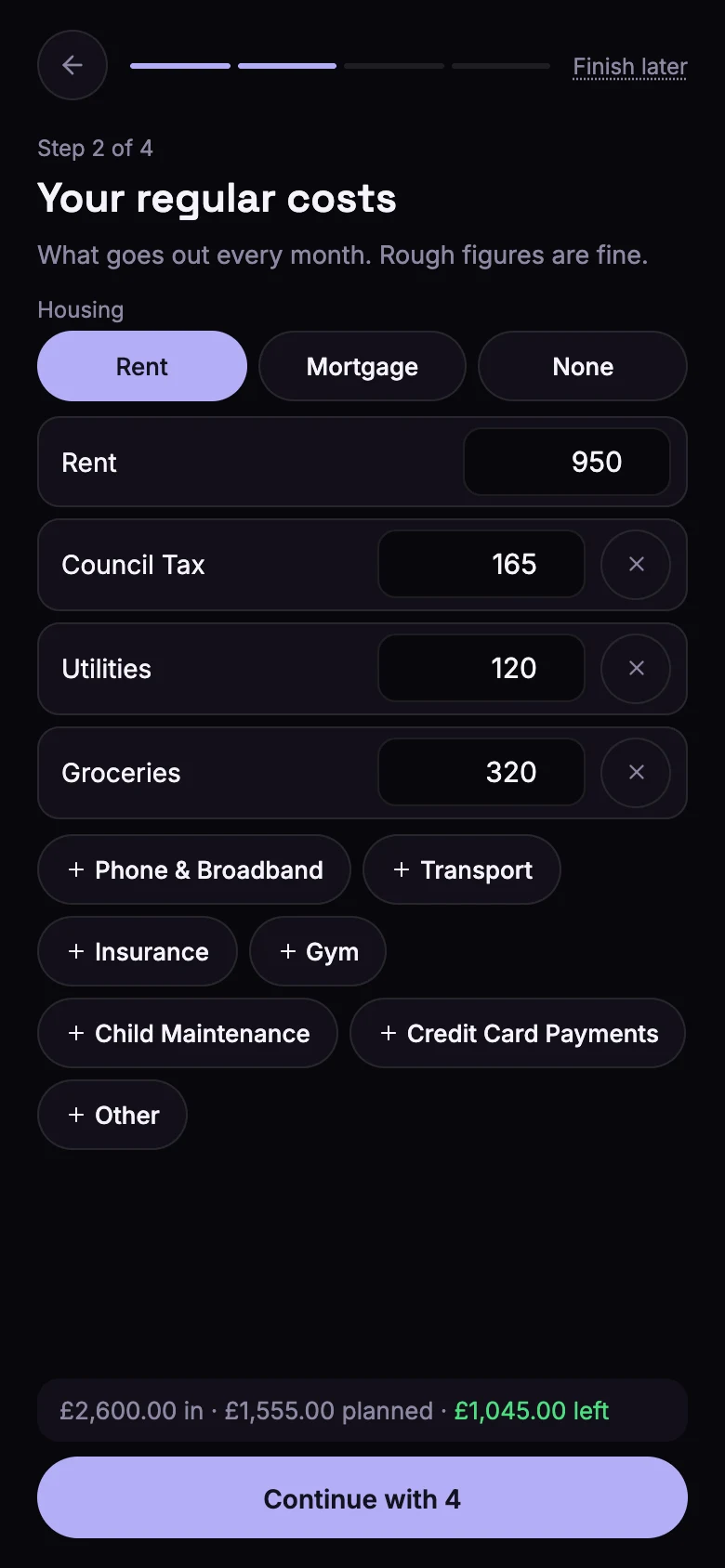
- Your regular costs. Choose Rent, Mortgage or None and enter the monthly amount. Then add your other regular costs, such as Council Tax, utilities, phone and broadband, groceries and insurance, with a monthly amount for each.
- Any subscriptions? Tap the ones you have, or search for others, and add the monthly amount for each. A subscription without an amount isn't saved. Tap None of these if you don't have any.
- Any savings? Choose the kind of account (easy access, Cash ISA, Lifetime ISA or other savings), and enter the balance and an optional goal. Tick This is my rainy-day money for the savings you'd use in an emergency. Tap No savings yet if you haven't started.
Tip
Any step can be skipped, and Finish later at the top keeps the steps you've finished.
When you're done
Bunse shows your income, what's planned, what's left over and your savings.
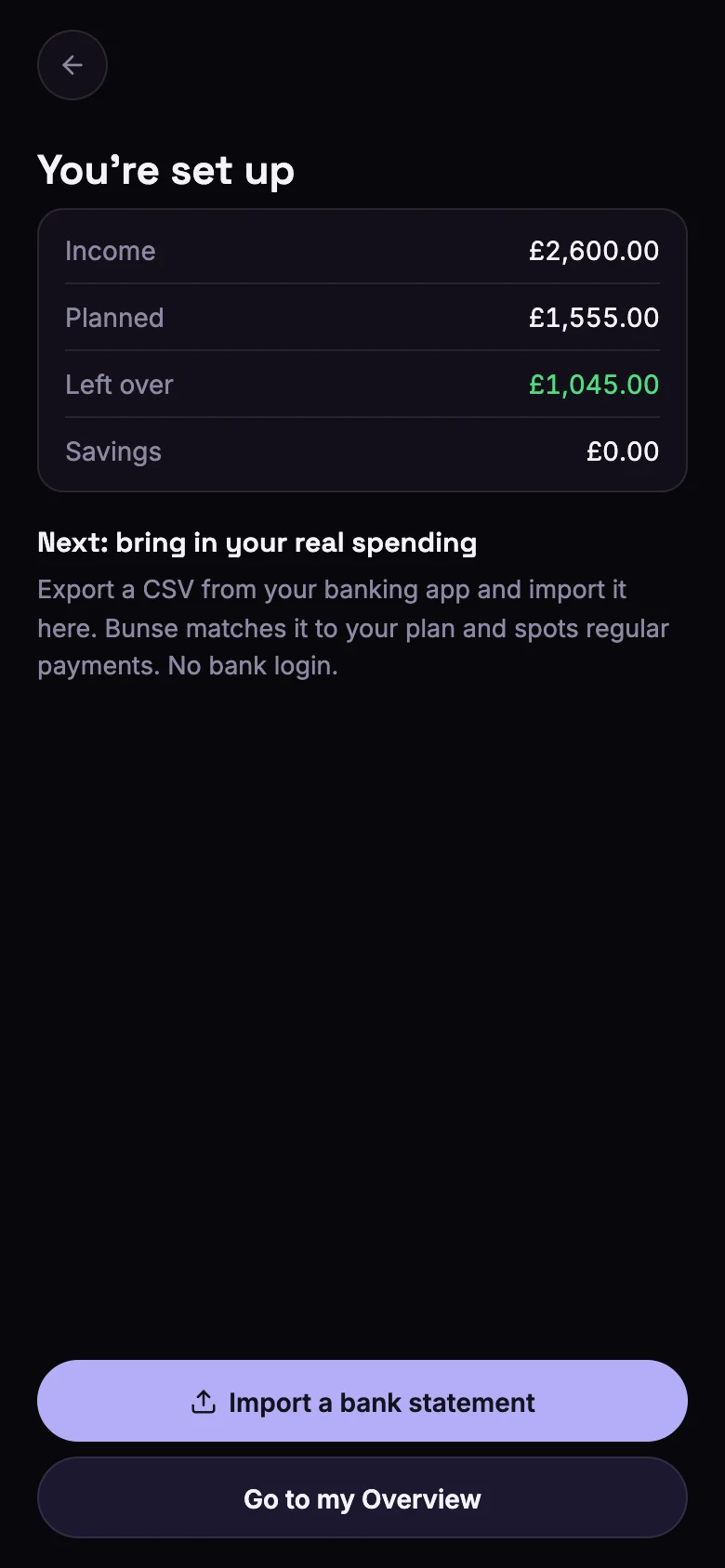
From here, you can import a bank statement to bring in your real spending. Bunse matches it to the plan you've just made and spots regular payments you haven't added. Or tap Go to my Overview and import one later from the Budget tab.