Add a pension and log contributions
Track each pension pot, what's paid in, your annual allowance, your State Pension and a rough retirement checkpoint.
Updated 1 October 2026
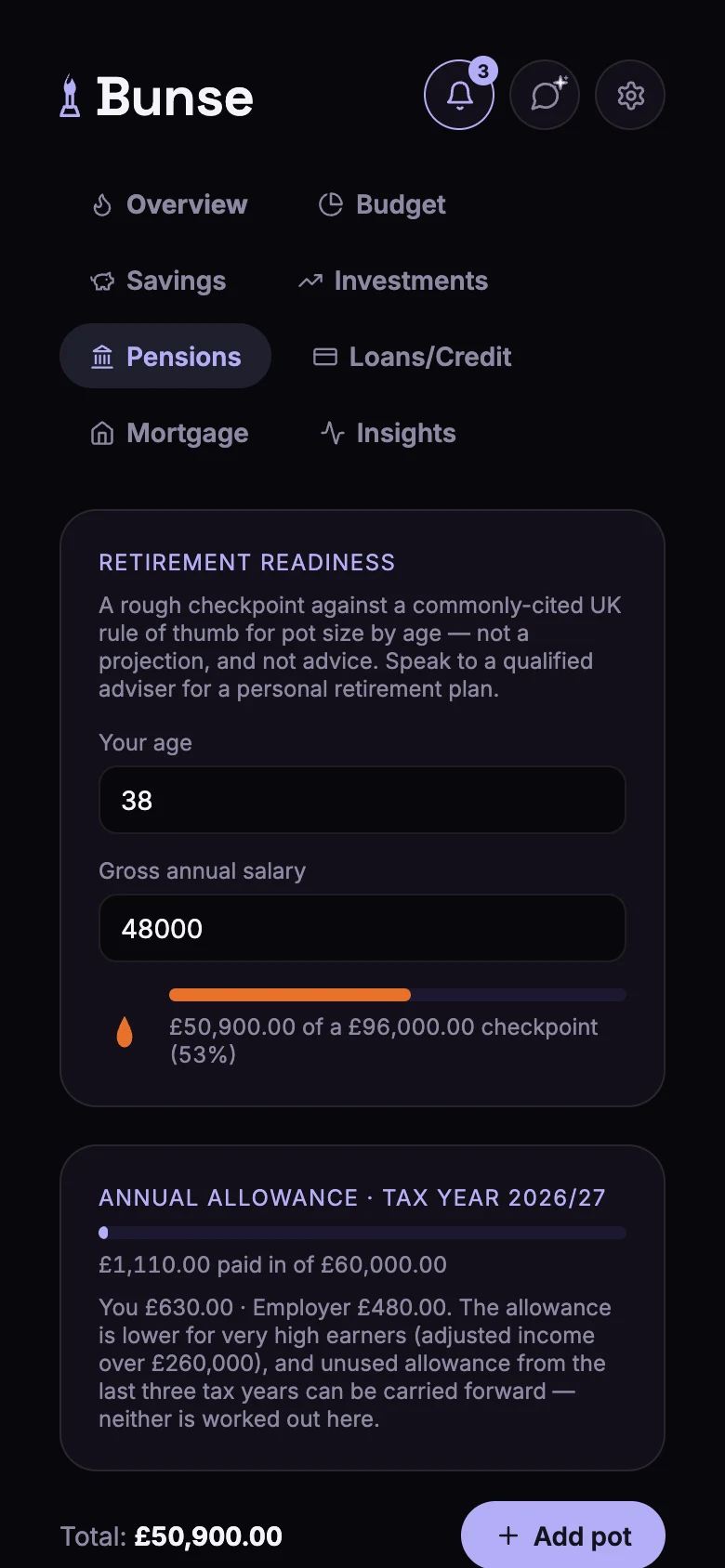
The Pensions tab tracks your pension pots, what's paid into them, and how you're doing against a rough UK rule of thumb for your age.
Add a pot
Tap Add pot and fill in:
- Pot name, such as "Workplace pension".
- Type: Workplace DC, SIPP, Defined Benefit or Other.
- Provider (optional), such as Nest, Aviva or Vanguard.
- Current balance, from your latest statement or your provider's app.
Log contributions
Open a pot's contributions and add each payment with its amount and date:
- Contribution: what you pay in.
- Employer contribution: what your employer pays in.
- Tax relief: the tax relief added to your contributions.
- Growth/Value update: a change in value from investment growth, when you check your pot.
- Withdrawal.
Each one updates the pot's balance.
Annual allowance
Annual allowance shows how much has been paid into your pensions this tax year, split between you, your employer and tax relief, against the £60,000 allowance.
Retirement readiness
Enter your age and gross annual salary, and Bunse compares your pension total with a commonly used UK rule of thumb: about 1× your salary by 30, 2× by 40, 4× by 50, 6× by 60 and 8× after that. It's a rough checkpoint against today's numbers, not a projection, and not financial advice.
State Pension
Add your State Pension forecast per week and your State Pension age. You can check both at gov.uk/check-state-pension.
Lost track of a pension from an old job? The government's pension tracing service can help: gov.uk/find-pension-contact-details.